
Introduction
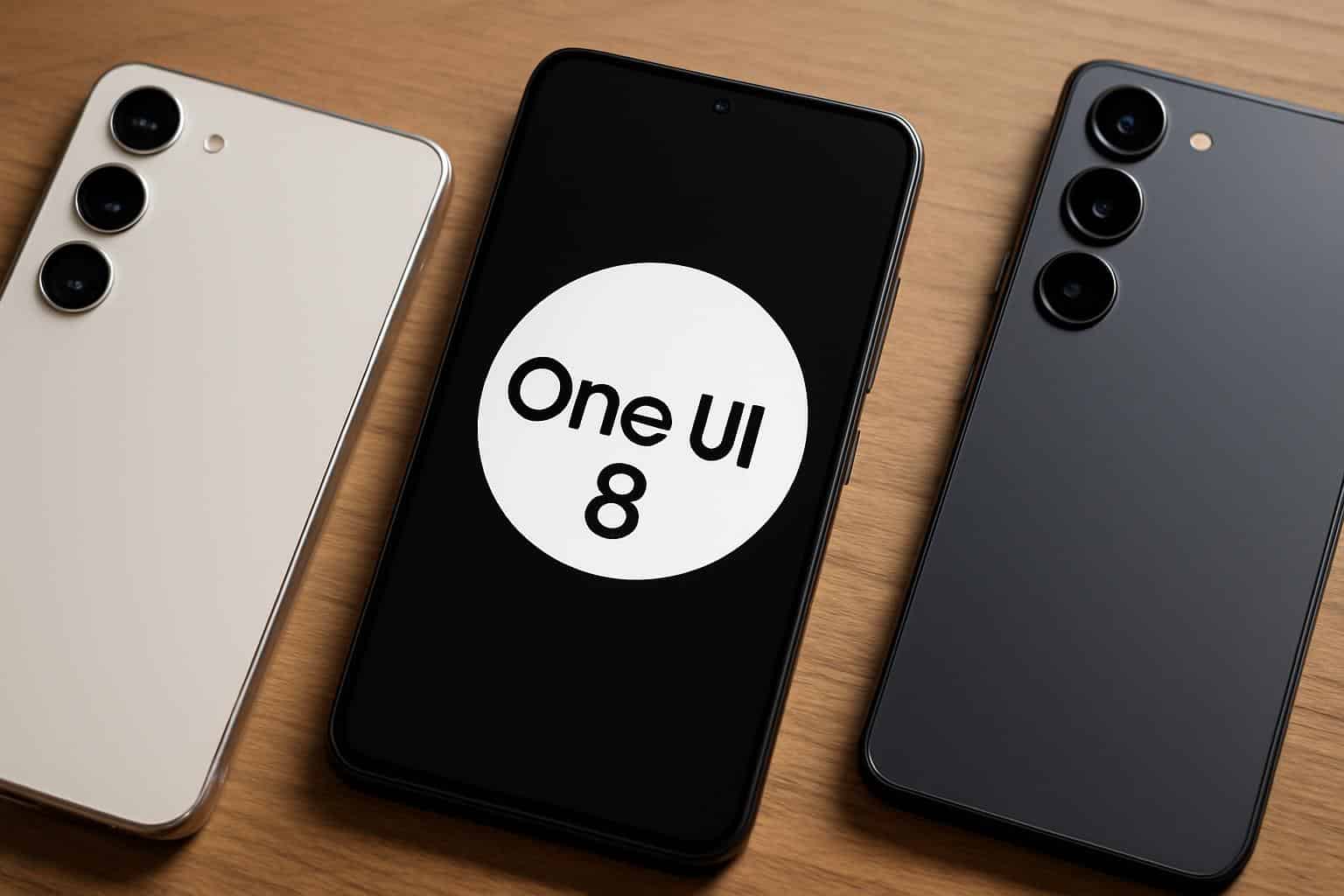
Samsung has once again taken the smartphone industry by storm with the official rollout of its One UI 8 software update, starting with the latest Galaxy S25 series. For years, Samsung’s One UI has been one of the most loved Android-based custom skins, offering a mix of user-friendliness, customization, and performance enhancements. With the release of One UI 8, Samsung is promising a smarter, smoother, and more secure mobile experience.
While the rollout has begun with the Galaxy S25 lineup, the update will soon reach other flagship models, including the Galaxy S24 series, Galaxy Z Fold6, and Galaxy Z Flip6. This major update brings significant UI redesigns, AI-powered features, battery optimization, and better privacy controls.
In this detailed article, we’ll cover everything you need to know about One UI 8 — from its key features, device eligibility, release timeline, how to install it, comparison with One UI 7, and frequently asked questions.
If you’re a Samsung user or a tech enthusiast looking for deep insights into One UI 8, this 5000+ words guide is your ultimate resource.
What is One UI 8?
One UI is Samsung’s custom user interface built on top of Android, first introduced in 2018 as a replacement for Samsung Experience. Over the years, it has evolved to become one of the most polished Android skins, focusing on ease of use, one-handed navigation, customization, and productivity tools.
One UI 8 is the latest version of Samsung’s interface, built on Android 16 (for S25 series and upcoming flagships). It’s not just a visual upgrade but also introduces deep AI integration, better multitasking features, enhanced animations, and system-level optimizations.
Key Highlights of One UI 8:
- Refined “Liquid UI” design language with smoother transitions.
- AI-powered productivity tools like smart summarization, contextual suggestions, and enhanced voice recognition.
- Improved battery life with adaptive power management.
- New privacy dashboard and granular permission controls.
- Better integration with Samsung ecosystem (Galaxy Watch, Buds, SmartThings).
- Enhanced multitasking for foldable devices.
Supported Devices for One UI 8
Although the rollout has started with the Galaxy S25 lineup, Samsung has confirmed that One UI 8 will gradually come to several flagship and mid-range devices.
Currently Receiving Update (September 2025):
- Galaxy S25, S25+, S25 Ultra
Scheduled to Receive Soon:
- Galaxy S24, S24+, S24 Ultra
- Galaxy Z Fold6
- Galaxy Z Flip6
Expected Devices (Upcoming Rollouts):
- Galaxy S23, S23+, S23 Ultra
- Galaxy Z Fold5 & Z Flip5
- Galaxy Tab S9 series
- Selected A-series (A55, A75 — in late 2025)
Samsung typically rolls out major One UI updates to flagships for at least four years, meaning users of older devices like the S22 series may also see a limited rollout.
One UI 8 Features: What’s New?
One UI 8 isn’t just a routine update — it’s a major leap forward, introducing AI integration, design refresh, and productivity enhancements.
1. Redesigned Liquid UI
Samsung has introduced a Liquid Design Language that focuses on fluid transitions, rounded elements, and a more modern look. Animations are smoother, and navigation feels buttery-soft even on mid-range devices.
Notable Improvements:
- New lock screen customization options.
- Adaptive widgets that change based on your routine.
- Smoother scrolling and transitions in system apps.
2. AI-Powered Features
Samsung has brought its Galaxy AI suite deeply into One UI 8.
- Smart Summarizer: Quickly summarizes long messages, emails, or articles.
- Contextual Suggestions: Recommends apps, settings, or actions based on your habits.
- AI-powered image editing: Erase objects, adjust lighting, or enhance photos automatically.
- Voice-to-Text Enhancements: Natural language understanding for dictation and commands.
3. Privacy and Security
Samsung has improved its security game with:
- Privacy Dashboard: A centralized hub showing app permissions and data access.
- Enhanced App Permissions: More granular control over location, microphone, and camera usage.
- Private Space: A secure folder for sensitive apps and data, hidden behind biometric locks.
4. Battery and Performance Optimizations
- Adaptive battery management learns user patterns.
- Reduced background activity for power-hungry apps.
- Performance Profiles: Choose between high performance, balanced, and power-saving modes.
5. Multitasking for Foldables
Samsung has made big strides for Galaxy Z Fold6 and Flip6 users:
- Improved app continuity when switching screens.
- Drag-and-drop multitasking improvements.
- Better split-screen compatibility for third-party apps.
6. Galaxy Ecosystem Integration
- Galaxy Buds get intelligent audio switching between devices.
- Samsung SmartThings deeply integrated with AI suggestions.
- Galaxy Watch health data sync improved with Samsung Health.
One UI 8 vs One UI 7: What Has Changed?
| Feature | One UI 7 | One UI 8 |
|---|---|---|
| Design | Minimalistic, flat | Liquid UI, smoother animations |
| AI Integration | Limited | Deep AI across apps & settings |
| Privacy | Basic permissions | Privacy dashboard, private space |
| Battery Optimization | Adaptive | AI-powered adaptive management |
| Multitasking | Basic split screen | Enhanced foldable multitasking |
| Updates | Faster | Even smoother + improved app continuity |
Clearly, One UI 8 is a massive upgrade over One UI 7, especially for AI and foldable devices.
How to Install One UI 8 Update
Step 1: Check for Updates
- Go to Settings > Software Update > Download and Install.
Step 2: Ensure Storage and Battery
- Free up at least 8GB of space.
- Ensure your phone has at least 50% battery.
Step 3: Download and Install
- Connect to Wi-Fi.
- Download the update package (size varies: 3GB–6GB).
- Restart your device after installation.
Step 4: Post-Update Setup
- Check permissions and privacy settings.
- Explore new widgets, themes, and Galaxy AI features.
Benefits of One UI 8
- Faster, smoother, and more responsive interface.
- Enhanced productivity through AI automation.
- Better battery life, especially on older devices.
- Stronger privacy and security.
- Improved synergy with the Samsung ecosystem.
Potential Issues and Bugs
Like every new update, some users might face early issues:
- Faster battery drain (temporary as the system optimizes).
- App compatibility issues.
- Occasional lag in third-party apps.
Samsung usually releases hotfix updates within weeks to resolve such problems.
Tips to Maximize One UI 8 Experience
- Enable AI features like smart suggestions.
- Customize lock screen widgets for quick access.
- Use privacy dashboard to review permissions.
- Experiment with multitasking tools on foldables.
- Update Samsung apps from Galaxy Store for compatibility.
Global Release Timeline
- September 2025: Galaxy S25 series
- October 2025: Galaxy S24, Fold6, Flip6
- November–December 2025: Galaxy S23, Fold5, Flip5
- Early 2026: Select Galaxy A-series and Tab series
User Reactions
Since the rollout, users on forums and social media have praised:
- The smoother animations.
- AI-powered features being actually useful.
- Better battery optimization compared to One UI 7.
However, some have complained about:
- App crashes.
- Heating issues on older devices.
- A learning curve with new UI design.
Conclusion
Samsung’s One UI 8 update marks a significant leap in smartphone software design, blending AI-powered features, fluid animations, and enhanced privacy tools. With the rollout beginning on the Galaxy S25 series, millions of Samsung users worldwide are about to experience a smarter, smoother, and more secure ecosystem.
Whether you own the latest flagship or a slightly older model, One UI 8 will redefine the way you interact with your Samsung device. It’s not just an update — it’s a step forward toward the future of AI-driven mobile experiences.


 By
By